Building an OSRS-Inspired 3D Engine with Claude Code
Over the Christmas holiday, I set out once again to make a toy 3d game engine from scratch using minimal libraries. For background, I’m not a games or graphics programmer, but I did take a course in college covering the rendering pipeline / basic shader programming, etc. I’ve failed at doing similar things many times in the past, with glfw, mainly because I burn out debugging simple things like ordering of opengl calls before I even get anywhere interesting. But, I knew this time was going to be different, as now claude code exists, and I’m a big BIG fan. I decided to keep things osrs themed (shoutout: sailing!) as it’s a good fit for simple retro style graphics and llms are trained on its wikis and can easily generate plausible content for it.
The result: 3DRS, a first-person 3D engine inspired by Old School RuneScape, built from scratch in C++ with Raylib. In 12 days and 101 commits, we went from a simple grass shader to a feature-rich game with procedural textures, dynamic lighting, a full quest system, and an autonomous AI agent that can test the game without human intervention.
Making this game was a fundamentally different experience than I’ve ever had programming before. It felt frictionless, it wasn’t frustrating, it was just fun. A day doing graphics programming before might be joyless refactoring of opengl calls or class design for hours without seeing a single triangle change. I’m sure I’m losing some joy I would have had crafting this by hand and seeing the working result, but being able to sit down for a couple hours and bang out 10+ gameplay features and graphical adjustments was another level of satisfying.
I’ll note I have tried using LLMs in the past for similar 3D graphics programming (o1-preview back in the day), but until Opus 4.5 with Claude Code, nothing really clicked. This was the first success.
Below are screenshots and an overview of various features. Some technical descriptions are LLM-written.
Code is available at github.com/cmlaverdiere/3drs.
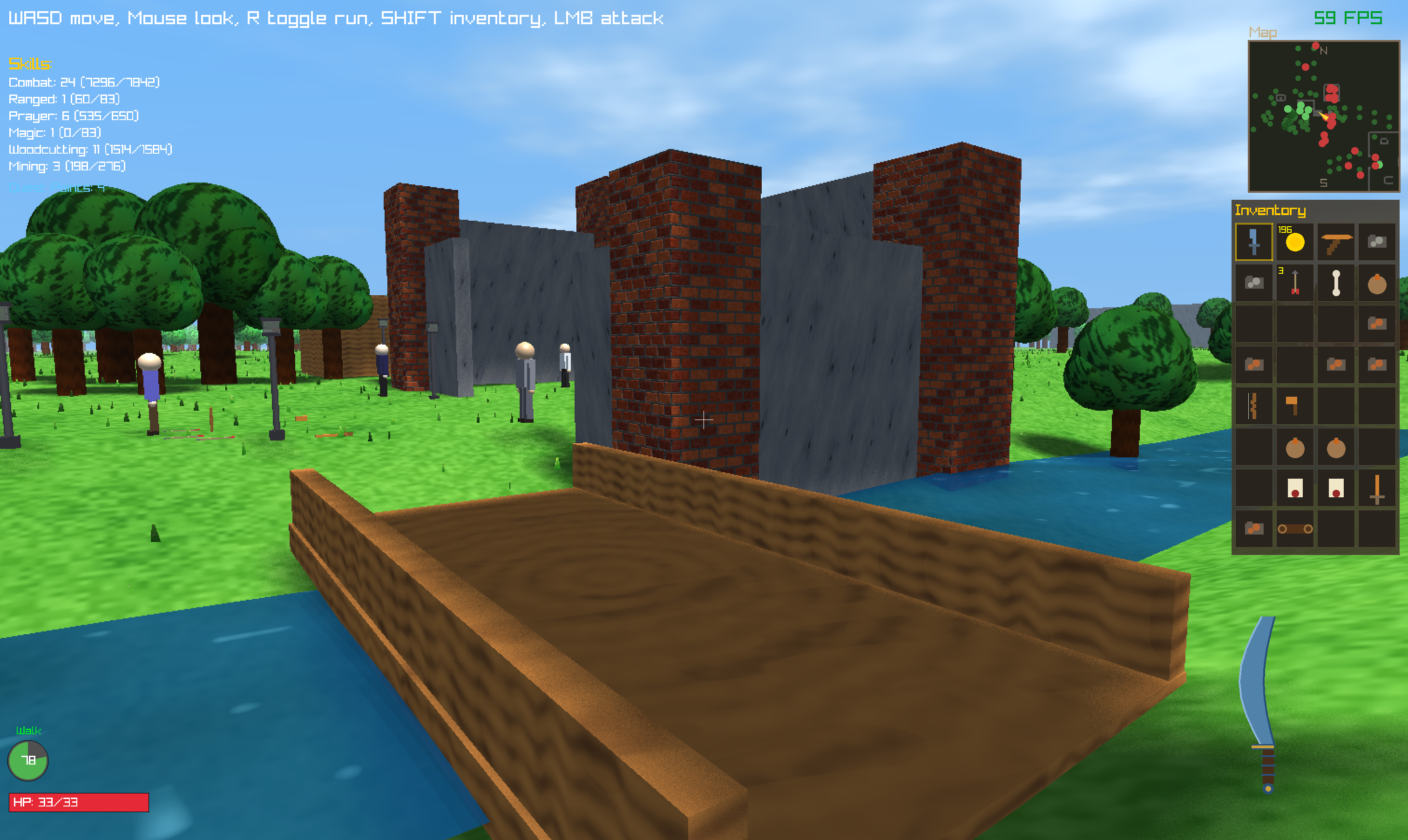 Procedural terrain, trees, brick buildings, wooden bridge, and the HUD with minimap and inventory.
The final numbers: ~19,000 lines of C++, 20 procedural shaders, 4 map regions (Lumbridge, Varrock, Al Kharid, Wilderness), 3,100+ trees, 350+ enemies, and systems for combat, skills, quests, inventory, and banking.
Development Timeline
Day 1 (Dec 23) laid the groundwork: first-person movement, a procedural grass shader, combat with trolls, map file loading, enemy AI, and sound effects.
Day 2 (Dec 24) added terrain height with procedural noise, animated water shaders, multiple biomes, spatial hashing for O(1) proximity queries, a running/energy system, and a full day/night cycle with shadows.
Day 3 (Dec 25) brought bloom and SSAO post-processing, procedural fire for campfires, winter mode with snow particles, a banking system, and mining.
Day 4 (Dec 26) expanded with seasons (spring/summer/autumn/winter), falling leaf particles, frustum culling for the massive Wilderness region (3000 trees, 600 rocks, 300 enemies), ranged combat with bow and arrow, and blood splatter particles.
Days 5-12 focused on refinement: LLM-powered monster generation, the scripted input system for automated testing, the validation subagent, procedural tree and brick shaders with bump mapping, and instanced grass rendering.
Graphics
Skip to AI-powered features and takeaways
Early on I decided: no image textures or obj models. Every visual is generated in fragment shaders and raylib primitives.
Procedural Textures
Terrain uses noise-based color variation for grass and sand. Water has multi-octave animated noise with sparkle highlights. Walls (brick, stone, wood) use bump mapping for depth. Fire is animated procedural flames. The sky is a time-of-day gradient. Foliage uses SDF-based leaf shapes with procedural veins. The advantage is infinite variation - no two bricks look the same, grass has subtle color differences, and water never tiles.
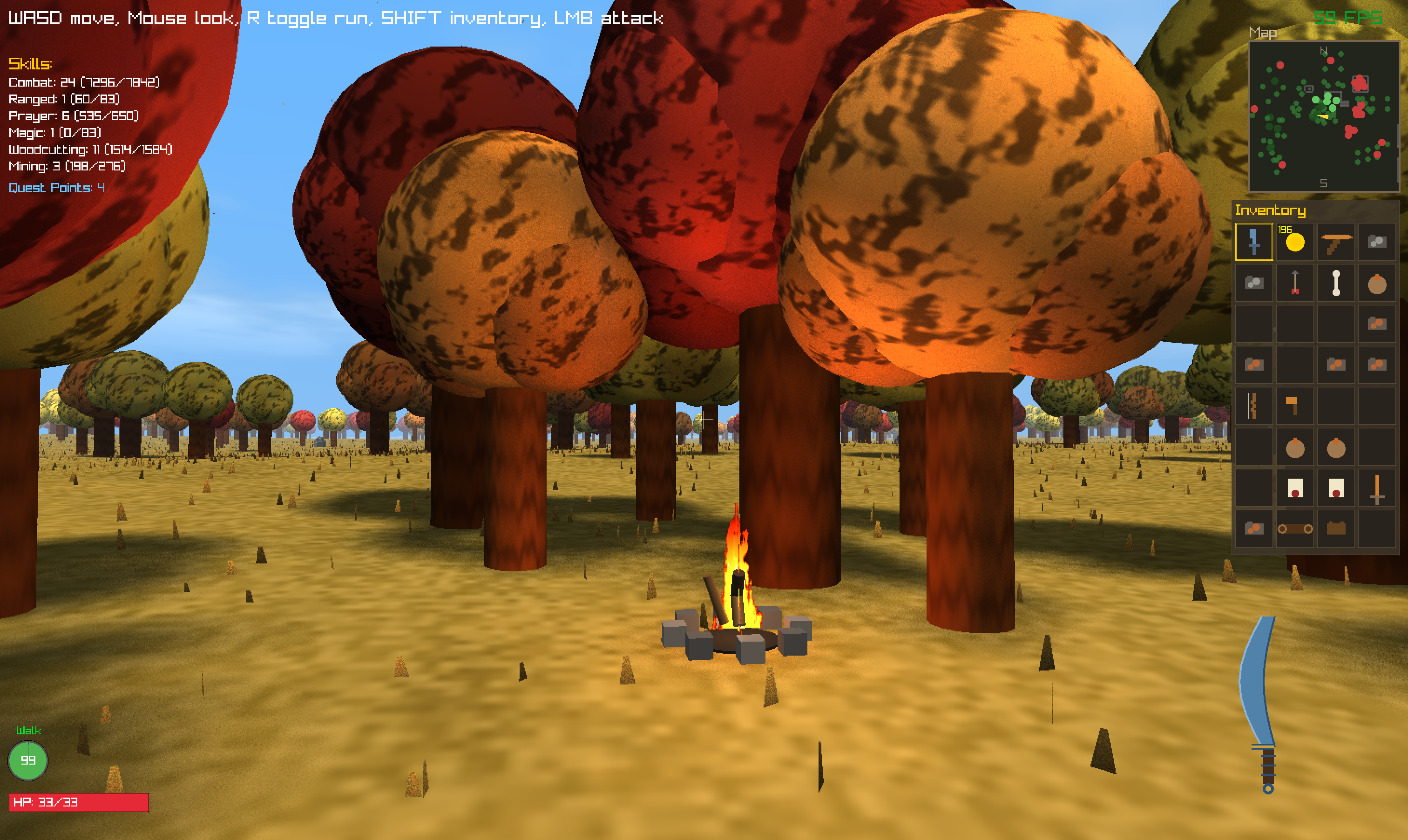 Autumn mode with procedurally-colored foliage and a crackling campfire.
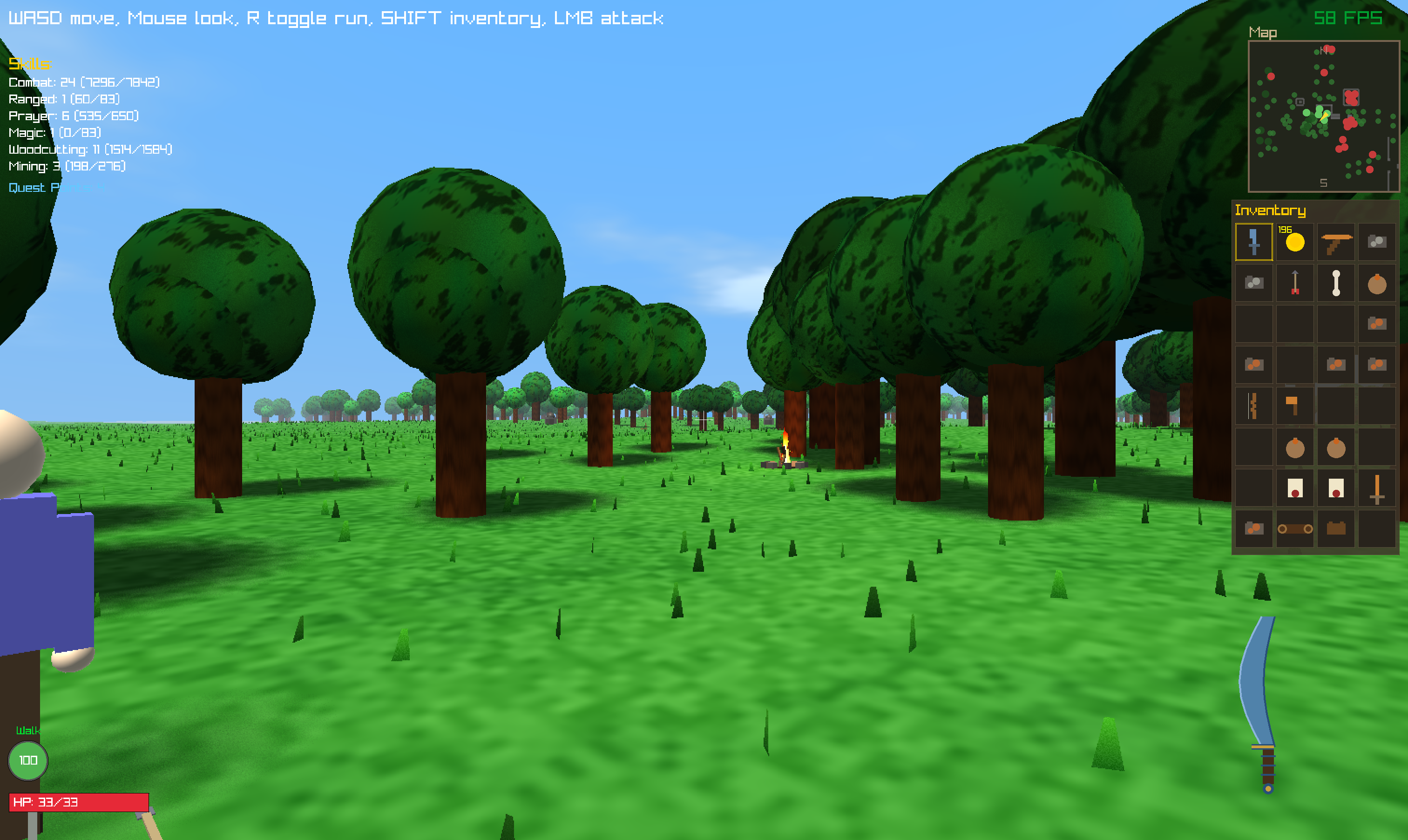 Procedural trees, grass blades swaying in the wind, and animated fire.
Lighting and Seasons
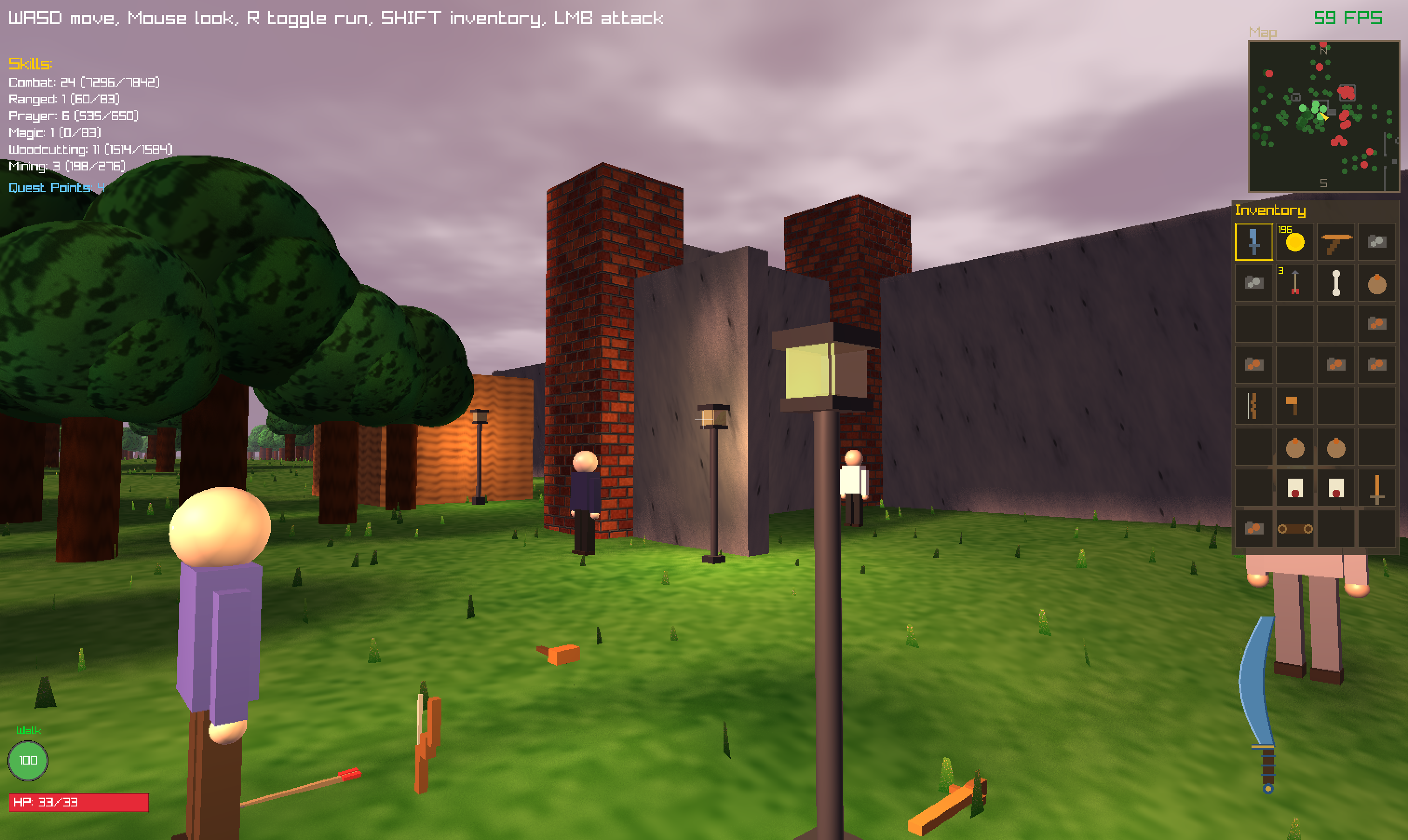 Street lamps turn on automatically at dusk.
The lighting system simulates a 20-minute day/night cycle. Directional sunlight moves across the sky, casting dynamic shadows via shadow mapping with PCF soft edges. Point lights handle street lamps (which turn on at dusk) and campfires (always on). Exponential fog color-matches the sky, and post-processing adds bloom and SSAO.
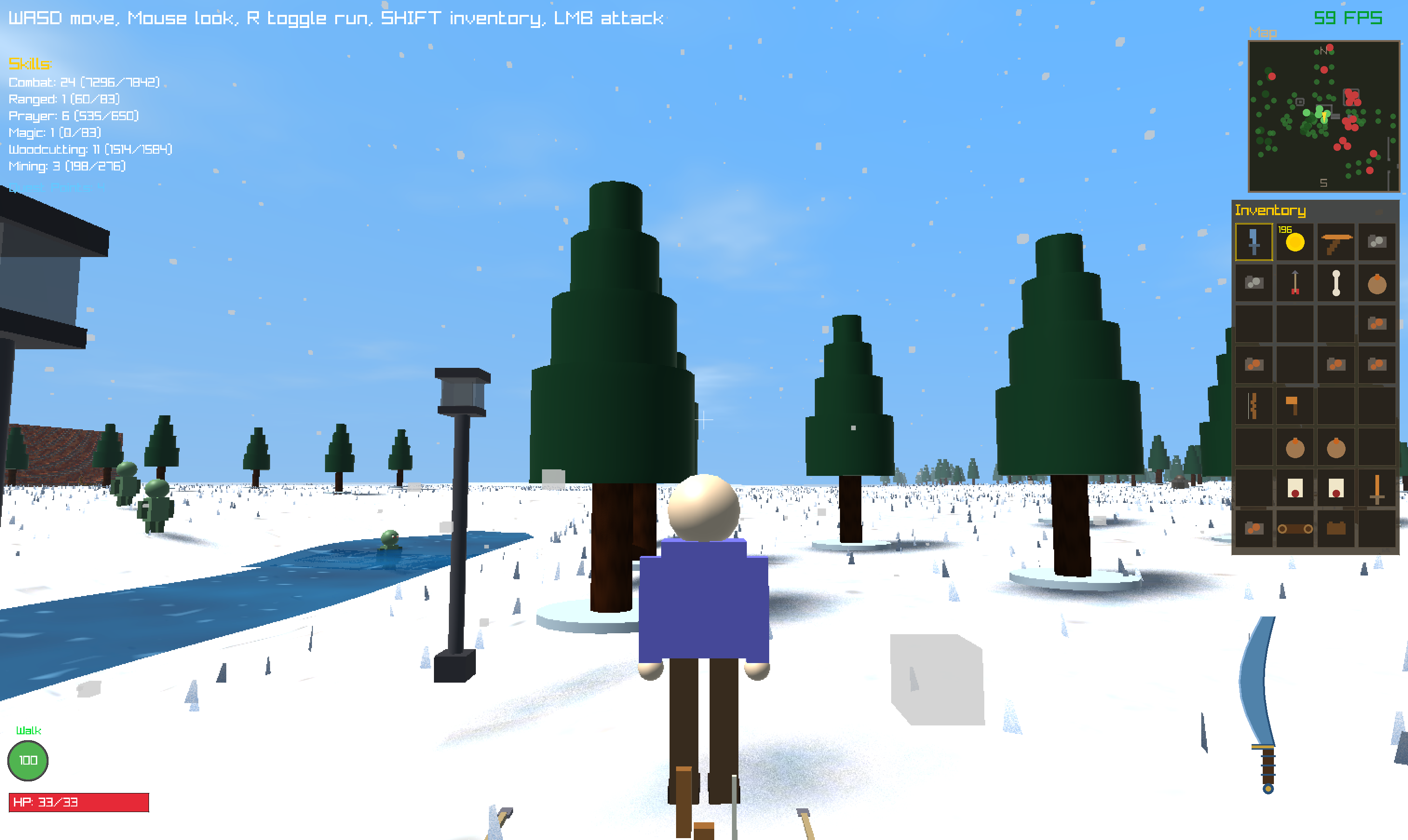 Winter transforms the world with snow coverage, falling snowflakes, and evergreen trees.
Seasons affect terrain shaders (snow in winter, vibrant greens in spring), tree colors (green in summer, orange/red in autumn, evergreen in winter), and particle systems (snow in winter, falling leaves in autumn).
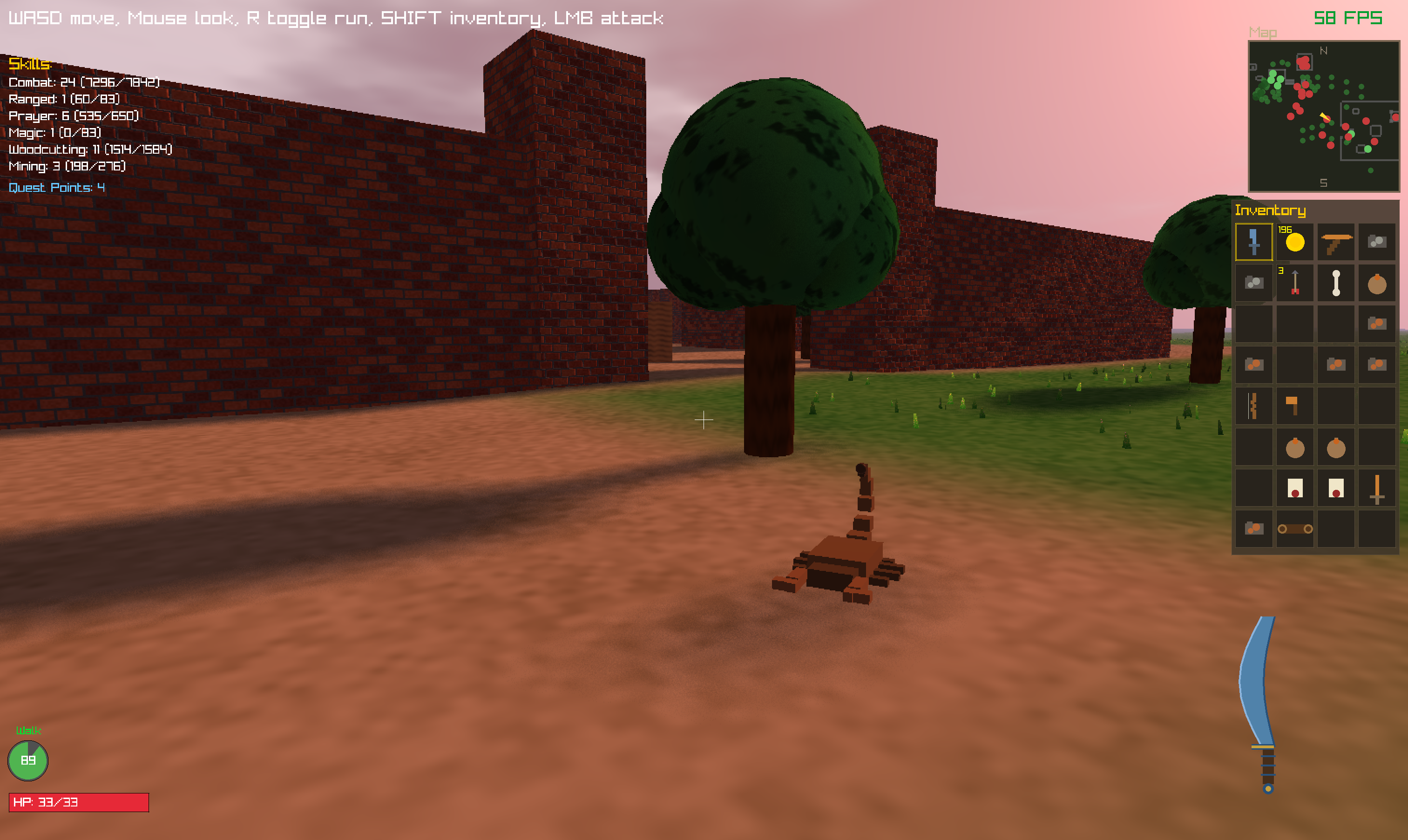 Al Kharid: sand terrain, brick walls, scorpion enemies.
Rendering Pipeline
The rendering pipeline is multi-pass: shadow pass (depth-only to 2048x2048 shadow map), main pass (scene with lighting to off-screen texture), post-processing (bloom extraction/blur, SSAO), and composite (combine everything to screen).
Performance relies on frustum culling (Gribb/Hartmann plane extraction with sphere tests), spatial hashing (O(1) proximity queries), instanced rendering (19,600 grass blades in one draw call), and chunk streaming (grass loaded around player position).
AI-Powered Features
The Quest System
Quests are data-driven text files with their own DSL. No C++ code needed to add new quests:
quest pest_control
name Pest Control
npc guard

objective chitin
objective bones

reward_gil 50
reward_quest_points 1

dialogue_start
Halt, adventurer. I have a task for you.
Scorpions lurk to the east, and trolls roam the north.
Slay one of each and bring me proof.
.

dialogue_stage_1
Have you killed a scorpion yet?
Bring me its chitin as proof.
.

dialogue_turnin_1
Excellent work! I'll take that chitin.
Now deal with a troll and bring me its bones.
.

dialogue_complete
The area is much safer now. Thank you.
.
The DSL handles multi-stage quests with state-aware dialogue. Each objective has two dialogue blocks: one for when you’re missing the item (dialogue_stage_N) and one for when you have it (dialogue_turnin_N). The system tracks progress automatically - talk to the NPC, and the right dialogue appears based on your inventory and quest state. Adding a new quest is just creating a .quest file; Claude could write them and test immediately without recompiling.
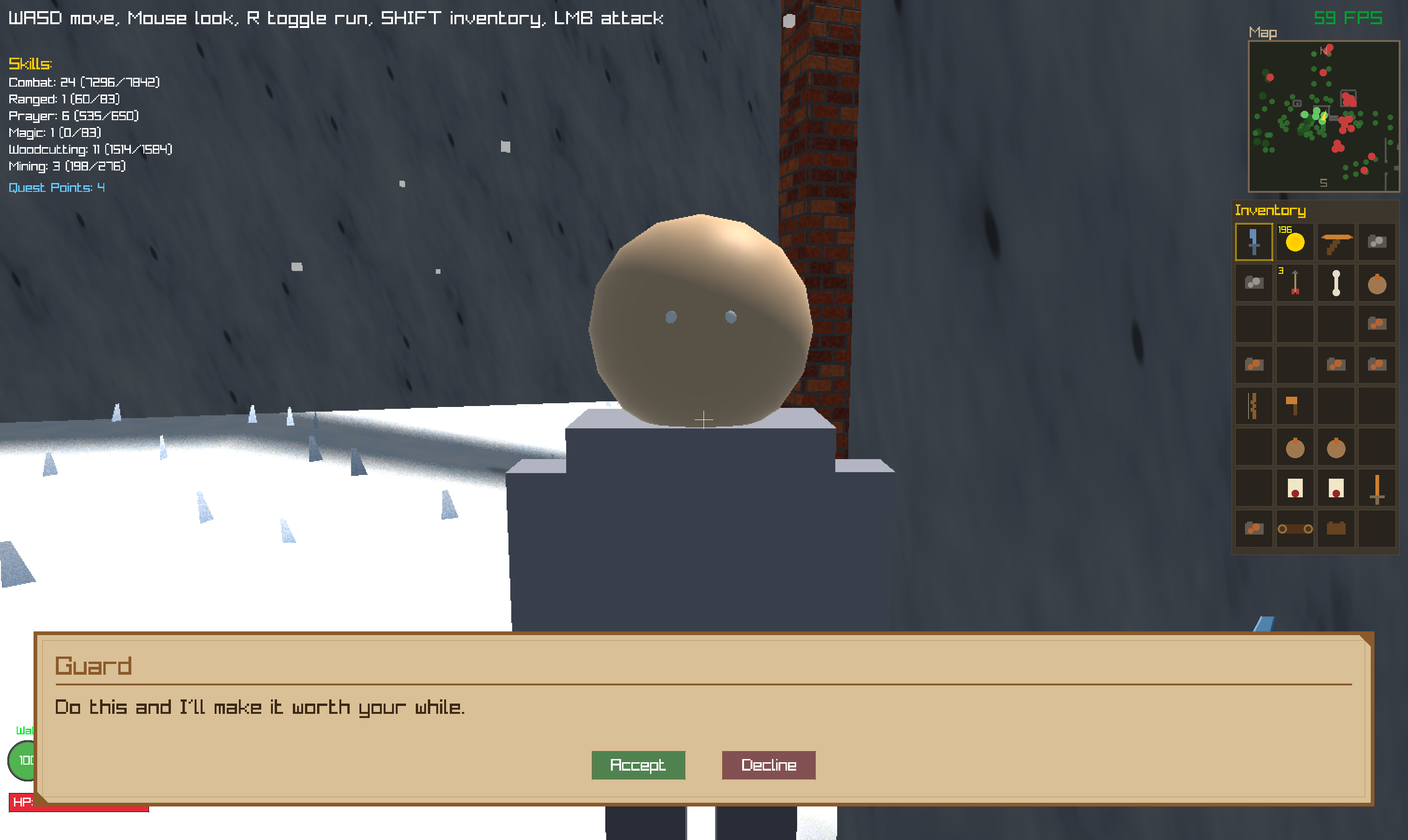 Talking to the Guard NPC to accept a quest.
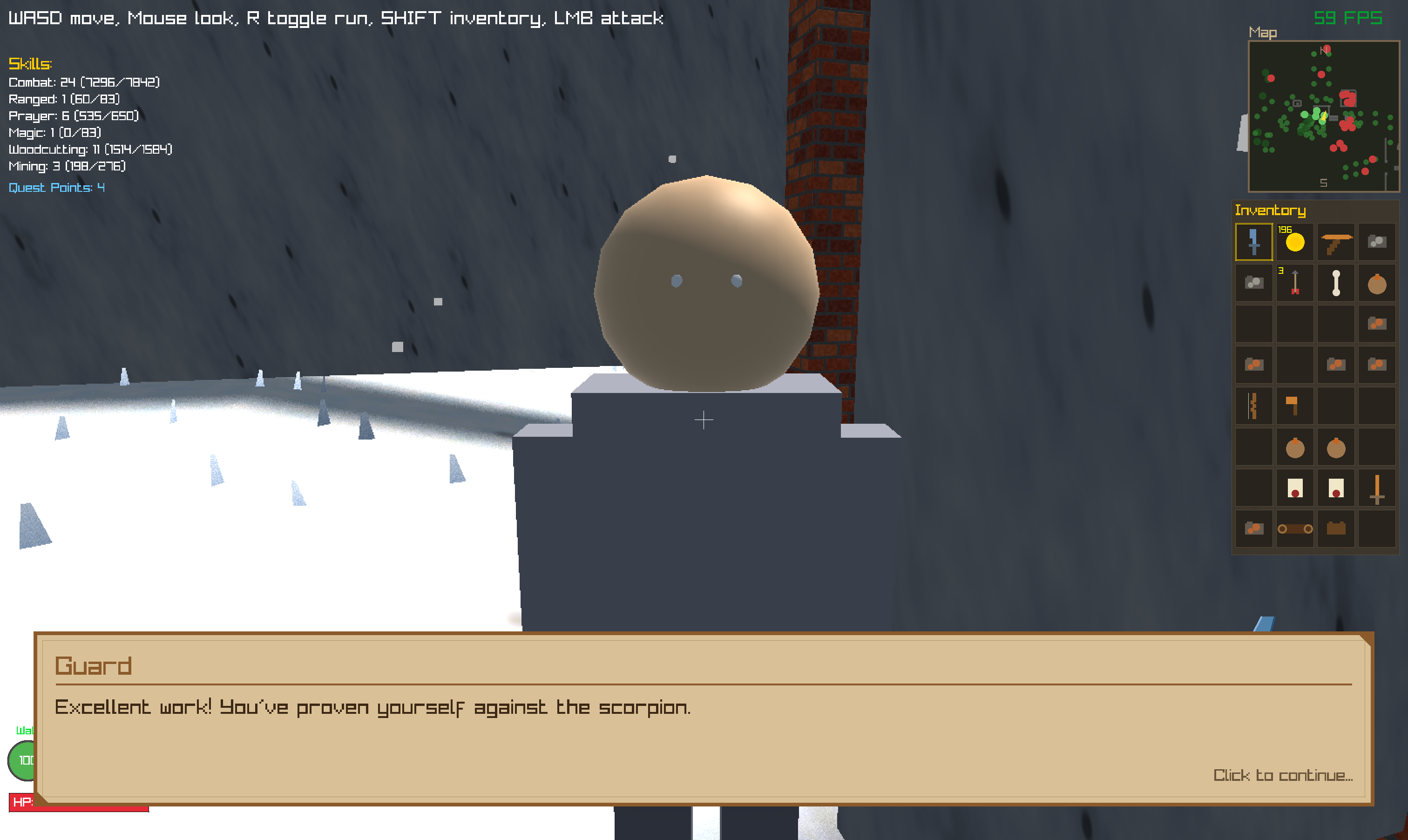 Quest dialogue updates as you progress.
LLM Monster Generation
One of the more fun features: press G, type something like “a forest spirit with glowing eyes” or “small goblin with a club,” and an egg spawns at your feet. It wobbles while an async API call fires off to Claude. A few seconds later, the egg hatches and out pops your custom creature - stats, colors, geometry, and all.
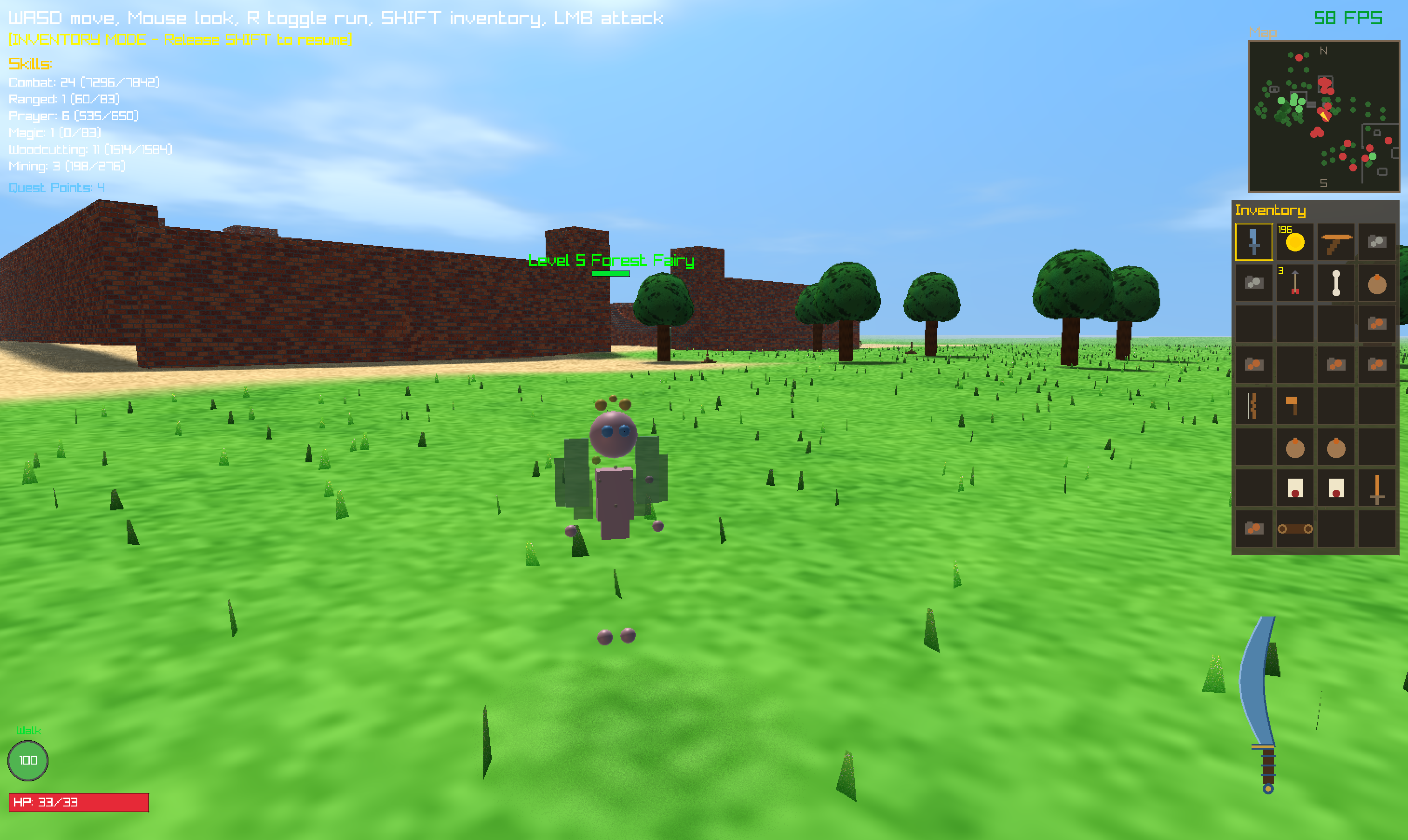 A “Forest Fury” generated from a text description, built from cubes and spheres with a fur material.
Claude returns a structured definition that the game parses: level, health, damage, aggression, colors, a material type (scales, stone, fur, stripes), and geometry as primitives (cubes, spheres, cylinders with positions and sizes). The monsters persist to disk, so you can spawn more of them later from a menu. The whole flow is non-blocking - keep playing while the egg wobbles in the background.
Voice and LLM Help
NPC dialogue is spoken aloud using Piper TTS, a local neural text-to-speech engine. Each NPC type gets a voice (deep male for guards, neutral for friendly NPCs). The models run locally (~60MB each), synthesizing in real-time without API calls.
Pressing H opens a help dialog where you can ask Claude questions about your current quest. The system prevents spoilers - it only sends Claude info about objectives you’ve completed or are currently working on, never future ones. The prompt includes strict rules: only help with current objectives, don’t reveal future objectives or rewards, keep responses to 2-3 sentences, stay in-character. The API call runs on a background thread so the game doesn’t freeze.
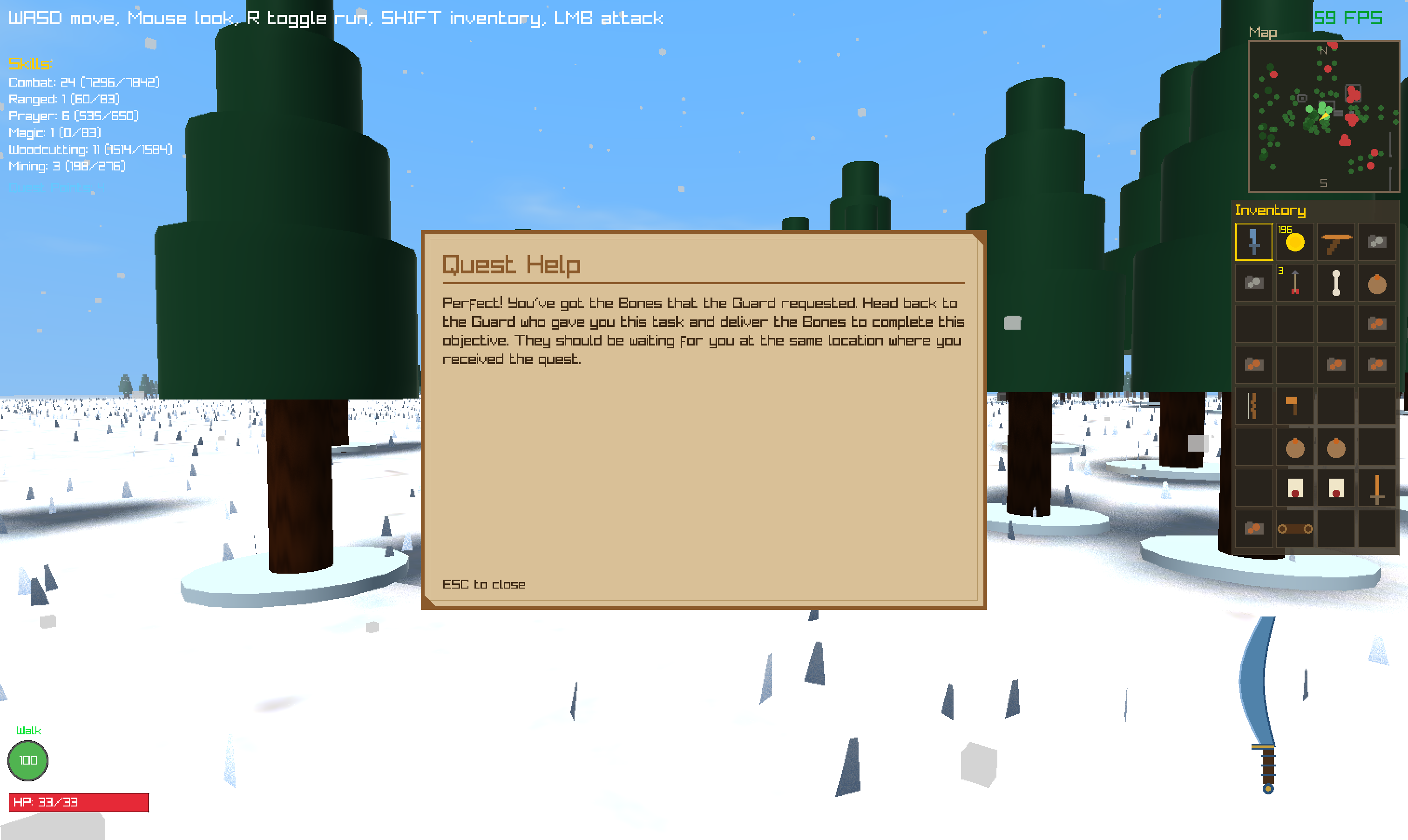 Claude provides context-aware hints without spoiling future objectives.
The Autonomous Validation Agent
This is where things got interesting. I created a validation subagent - a specialized Claude Code agent that can test game features without my intervention. It has access to a scripted input system that simulates keypresses, mouse clicks, and player teleportation. It can take screenshots and analyze them with vision.
When I implement a feature, I invoke the agent with a description like “Verify the Random button in the time menu changes the lighting.” The agent reads the source files, generates a test script, runs the game headless, captures screenshots, analyzes them, and returns a PASS/FAIL report.
The scripting DSL supports commands like:
warp <x> <y> <z>              # teleport player
face <yaw> <pitch>            # set camera direction
press <KEY>                   # press key for 1 frame
hold <KEY> <frames>           # hold key
click <x> <y>                 # mouse click
set_time <0.0-1.0>            # set time of day
set_season <season>           # change season
screenshot <label>            # capture screenshot
Traditional game testing requires a human to launch the game, navigate to the feature, perform actions, visually verify, and report. The validation agent automates this entire loop. When it implements a feature, it can verify it works without my involvement. For features that need real-time feel (combat timing, audio sync), it falls back to MANUAL_TEST_REQUIRED with instructions.
Because headless mode doesn’t need a display, you can run multiple instances in parallel. The screenshots for this blog post were captured by spawning 6 game instances simultaneously, each with a different script (daytime, winter, autumn, night, water, dawn), all rendering and saving screenshots at once.
The Map System
Maps use a text format with include directives:
include lumbridge.map 0 0
include varrock.map 0 -200
include alkharid.map 100 50
Each region file has entity placements: wall, tree, npc, enemy, water. This made world-building collaborative - Claude could add content and immediately test with ./build/game --test, which validates loading without opening a window.
Player progress saves to JSON with automatic migration. When I changed quest progress from index-based to ID-based, Claude wrote a migration script to convert existing saves.
Weaknesses and Pitfalls
The validation agent works well for functional verification - did the menu open? Did the button change the time of day? But it struggles with aesthetic judgments. Claude can see screenshots, but “does this look good?” is a different question than “does this work?”
Case in point: the brick shader. I asked for bump mapping to make mortar lines look recessed between bricks. The validator repeatedly reported success, claiming the updated shader looked “more realistic,” when the mortar was clearly still flat. It took several iterations of me rejecting the result and asking for more pronounced depth before the bump mapping actually created visible shadows in the grooves. Claude could verify the shader compiled and rendered something, but couldn’t reliably judge whether that something looked right.
This pattern repeated with other visual features. Procedural textures that were “too noisy” or colors that clashed - Claude would approve them as working correctly, because technically they were. The gap between “functional” and “tasteful” is where human judgment still matters.
Lessons
One thing that helped: I kept the full raylib.h header definitions in my CLAUDE.md file at all times. Claude Code reads this file for project context, and having the API surface available meant it could write correct raylib calls without constantly looking things up or hallucinating function signatures.
I also maintained checklists for common operations - “Adding a New Item,” “Adding a New Enemy,” “Adding a New NPC” - listing every file that needs to be touched. When I asked Claude to add a new monster type, it knew to update types.h, types.cpp, rendering.cpp, map.cpp, and the relevant map files. No forgotten steps, no runtime crashes from missing switch cases.
Context management was better than I expected. I used the default Opus 4.5 context window and it was usually enough to implement even complex features with at most one compaction. In the past, compaction would cause the model to lose track of what it was working on - not here. Even at 80%+ context usage, I didn’t notice degradation. Claude stayed coherent through long sessions of multi-file refactors.
Claude was surprisingly good at designing DSLs. The map file format, the quest definition syntax, the scripting commands, the monster geometry spec - all came out clean and readable on the first try. It has good taste for these things.
Using the Context7 MCP server took a lot of frustration out of raylib development. In previous projects, models would hallucinate older function signatures from outdated training data. With Context7 fetching current raylib docs, that never happened - every call was correct for the version I was using.
Investing time in the autonomous testing/validation loop paid off immensely. Once the headless mode, scripted input system, and screenshot capture were in place, Claude could verify its own changes visually without me launching the game, navigating to the feature, and checking manually. That tight feedback loop reduced frustration and let me stay in flow.
I also wrote a quick jj-commit.sh script that sends the current diff to Claude Haiku, generates a commit message, and asks for confirmation before pushing. One command to go from working changes to pushed commit. Small thing, but it kept me from context-switching to think about commit messages during a flow state.
Conclusion
I had a great time “co-programming” with claude on this project, and I don’t feel an ounce of burnout yet. It was an excellent stress-test of most features of claude code that I’ll take as lessons in my day to day dev work. I have the desire to explore just how far I can push the llm to generate content at-scale for the game (content? slop?) given that most assets are specified in plain text files with custom DSLs claude can easily understand and generate. Maybe a part 2 will be in the works!
Disclaimer: This is a fan-made proof-of-concept project in the spirit of OSRS. I will never monetize this and no copyright infringement is intended. Also I am sure the code is full of vibe-coded bugs, please don’t reference them for anything serious.